











Contact
How to make a deposit using the Smartphone ATM (Seven Bank)?
How to Deposit Using a Seven Bank ATM (Smartphone ATM Deposit)
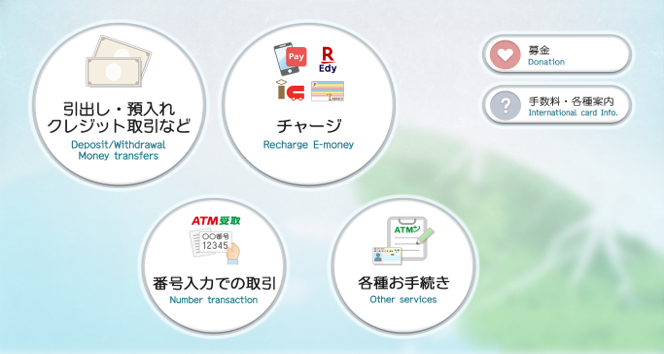
Step 1. On the top of the Seven Bank ATM, select "Deposit/Withdrawal Money transfers"
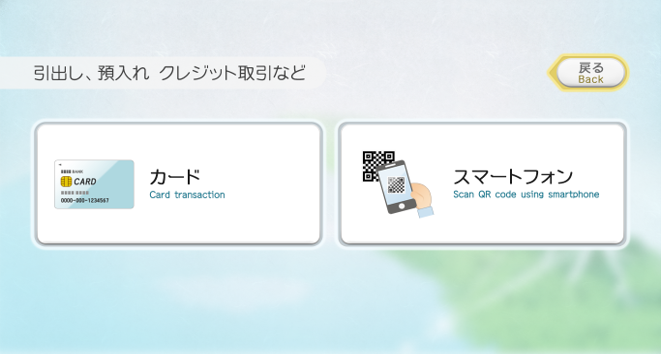
Step 2. Select "Smartphone."
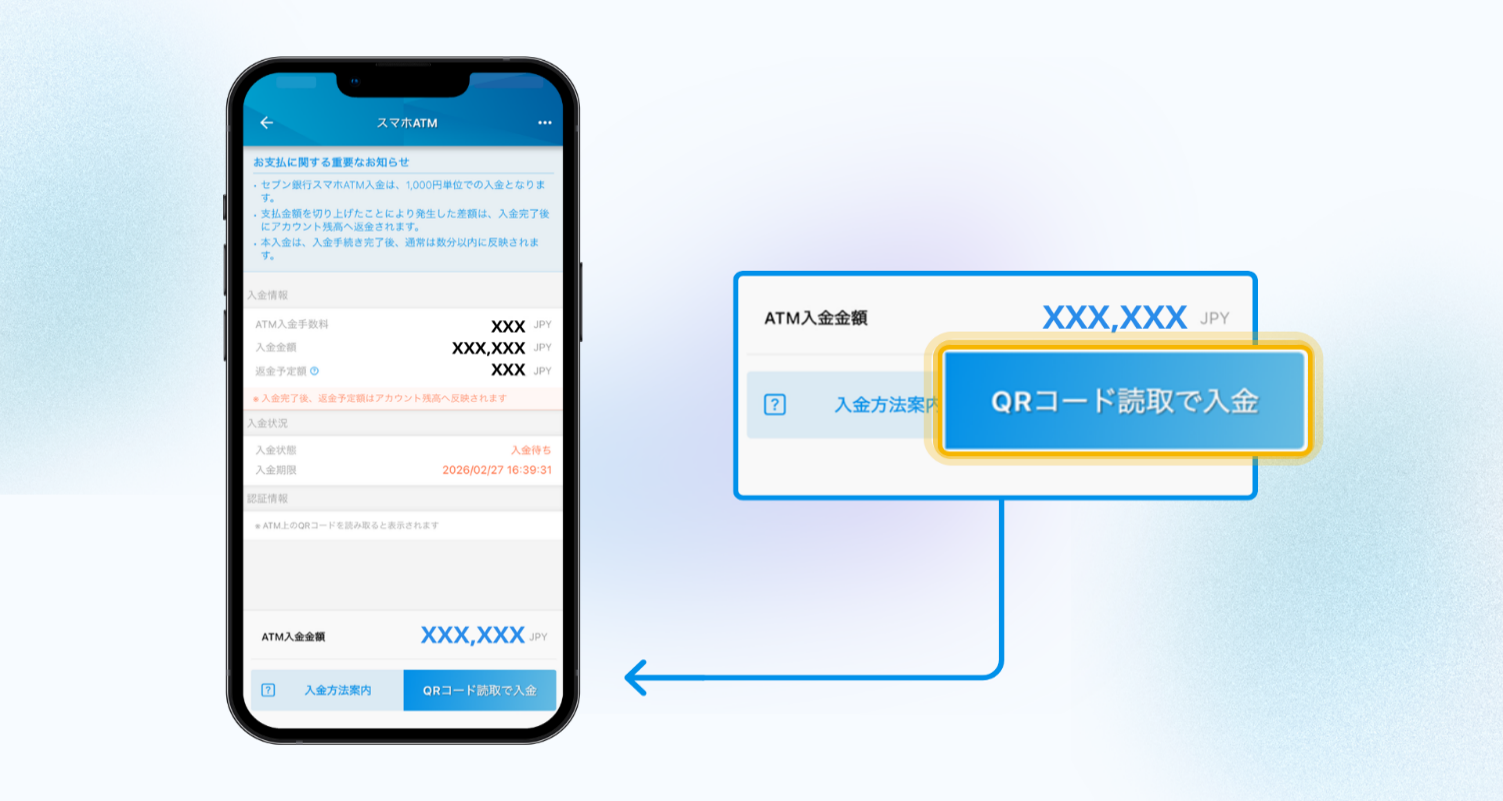
Step 3. In the PayForex app, choose "Deposit via QR Code." This will open your phone's camera.
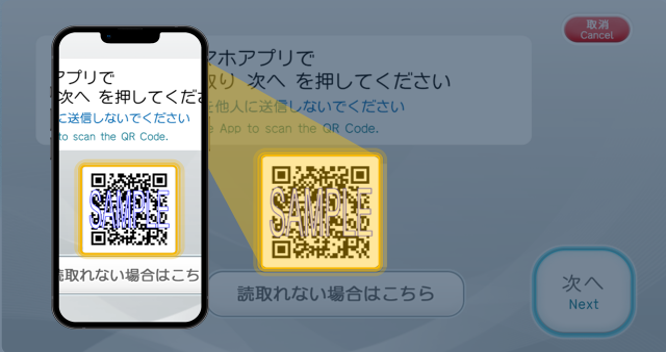
Step 4. Use your phone's camera to scan the QR code displayed on the ATM screen.
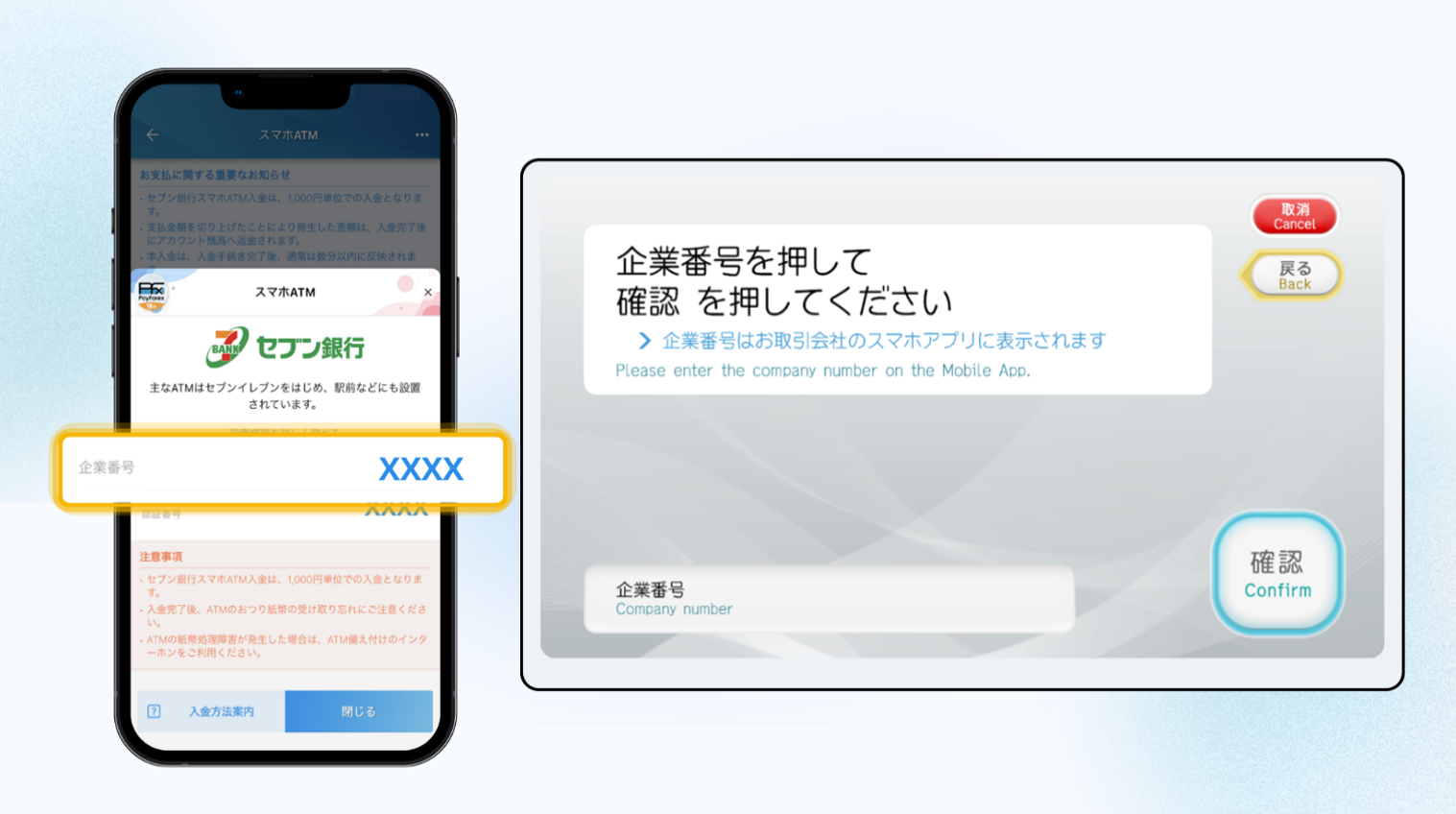
Step 5. Enter the Corporate Number shown in the app into the ATM screen, then press "Confirm."
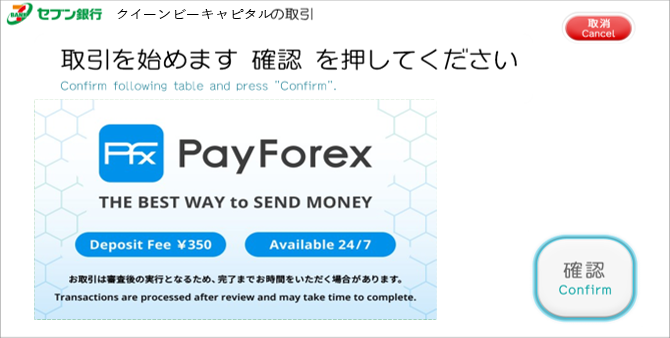
Step 6. Press "Confirm."
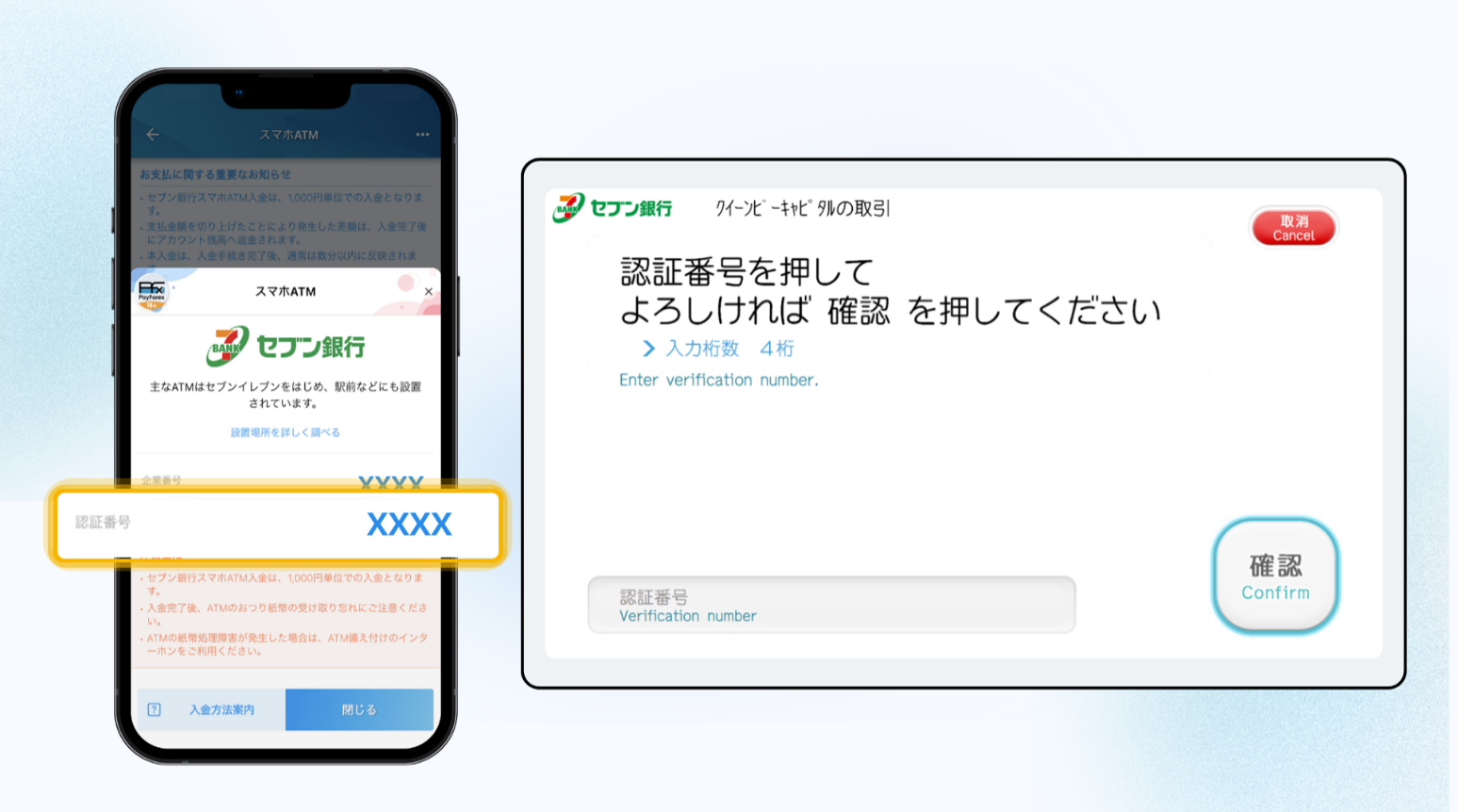
Step 7. Enter the Authentication Number shown in the app into the ATM screen, then press "Confirm".
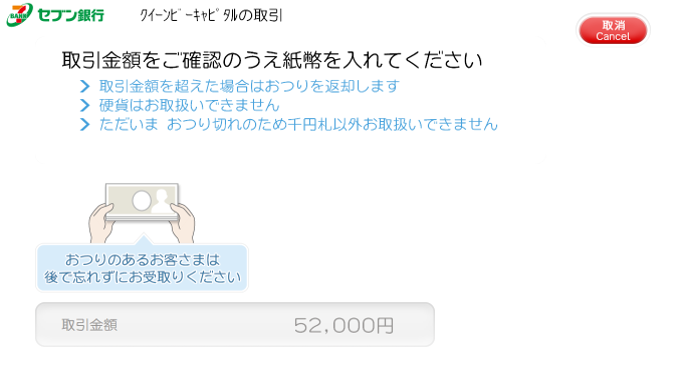
Step 8. The cash slot will open. Check the amount and insert your cash.
※ Coins cannot be used. You can insert up to 50 paperbills at one time.
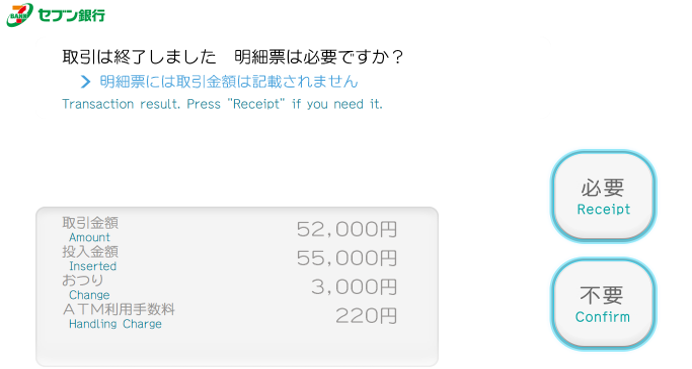
Step 9. When the Transaction Complete screen appears, select "Print if necessary" and take your transaction receipt.
※ You can also check the transaction in your app's transaction history.